VisUI
Status: Active, Community Maintained
Java Version: 8+
Learning Curve: Easy
Last Release: v1.5.3 (2023)
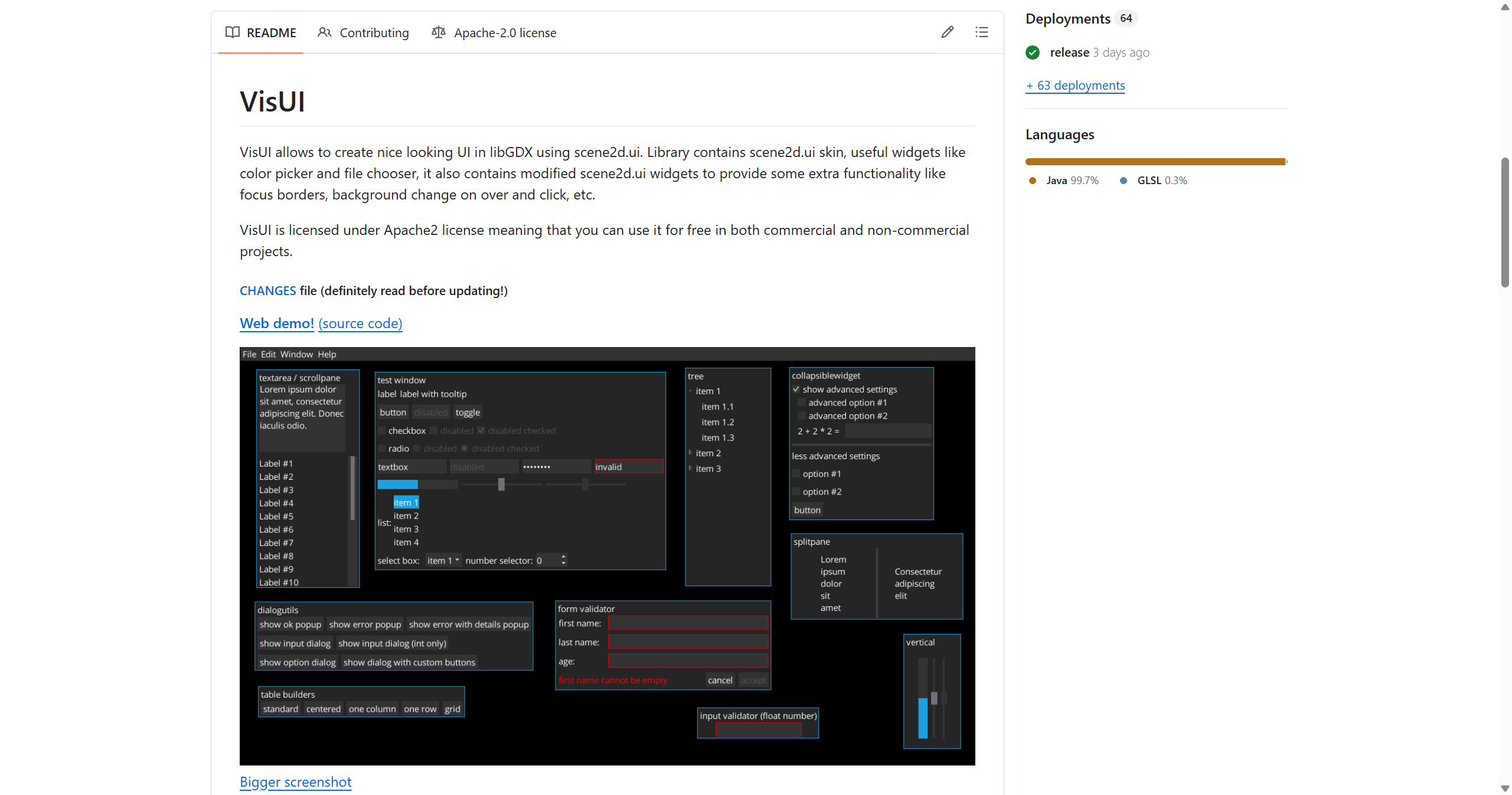
VisUI GitHubVisUI is a flat design UI skin and widget library for LibGDX's Scene2D that provides a modern, professional look and additional UI components beyond what Scene2D offers out of the box. While Scene2D is powerful, its default skin looks dated, and creating custom widgets requires significant boilerplate. VisUI addresses both issues by providing a cohesive, attractive flat design theme (inspired by Material Design principles) and pre-built widgets like file choosers, color pickers, menu bars, tab panes, toast notifications, and more. The library also includes a form validator, focus management utilities, and helper classes for common UI patterns. VisUI maintains compatibility with standard Scene2D widgets, so you can mix and match or gradually adopt it in existing projects. It's particularly popular in game development tools, level editors, and in-game UI where you want a modern, desktop-application feel rather than a stylized game UI. For LibGDX developers building tools or games with significant UI needs, VisUI is nearly essential for achieving a polished, professional appearance without extensive custom skinning work.
Code Example
import com.badlogic.gdx.ApplicationAdapter;
            import com.badlogic.gdx.Gdx;
            import com.badlogic.gdx.scenes.scene2d.Stage;
            import com.kotcrab.vis.ui.VisUI;
            import com.kotcrab.vis.ui.widget.*;

            public class HelloVisUI extends ApplicationAdapter {
                private Stage stage;

                @Override
                public void create() {
                    VisUI.load(); // Load VisUI skin
                    stage = new Stage();
                    Gdx.input.setInputProcessor(stage);

                    VisTable table = new VisTable();
                    table.setFillParent(true);
                    stage.addActor(table);

                    VisLabel label = new VisLabel("Hello, VisUI!");
                    VisTextField textField = new VisTextField("Enter text");
                    VisTextButton button = new VisTextButton("Click me");

                    button.addListener(event -> {
                        label.setText("You entered: " + textField.getText());
                        return true;
                    });

                    table.add(label).row();
                    table.add(textField).width(200).padTop(10).row();
                    table.add(button).padTop(10);
                }

                @Override
                public void render() {
                    stage.act(Gdx.graphics.getDeltaTime());
                    stage.draw();
                }
            }